

Lesson 5
How to trade ETF leveraged tokens?
Step-by-step guide to trading ETF leveraged tokens on web platforms for beginners.
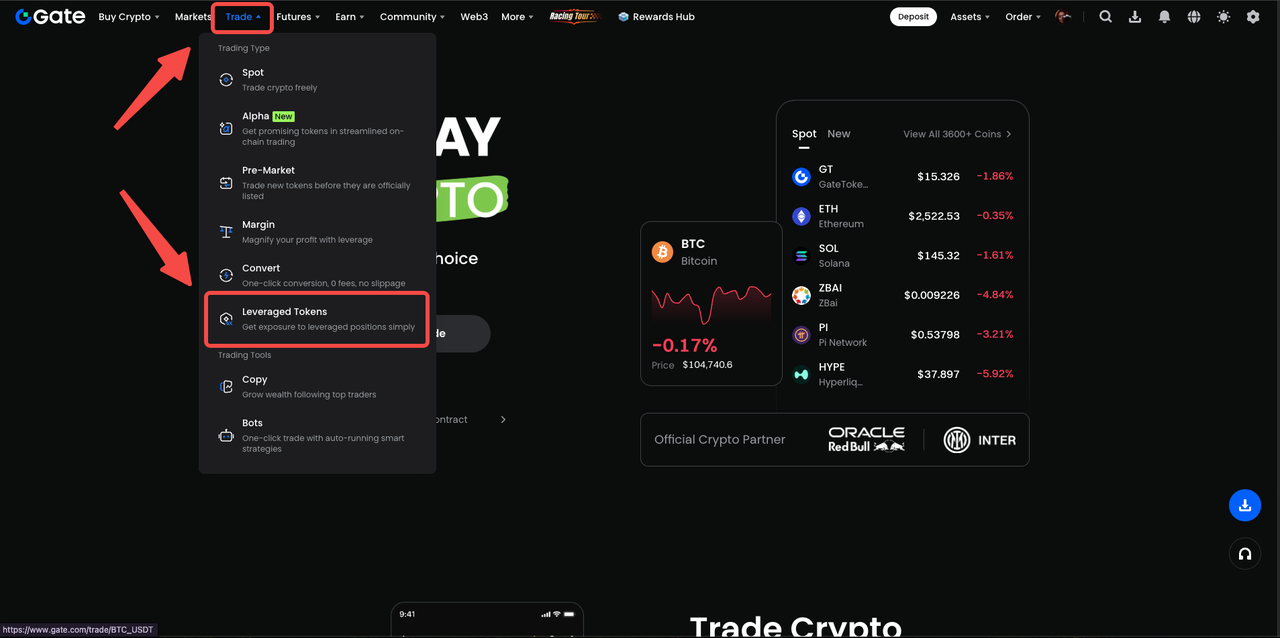
Step 1: Go to the Gate official website’s homepage, www.gate.com, and click on “Trade” -> “Leveraged Tokens” to enter the ETF page.
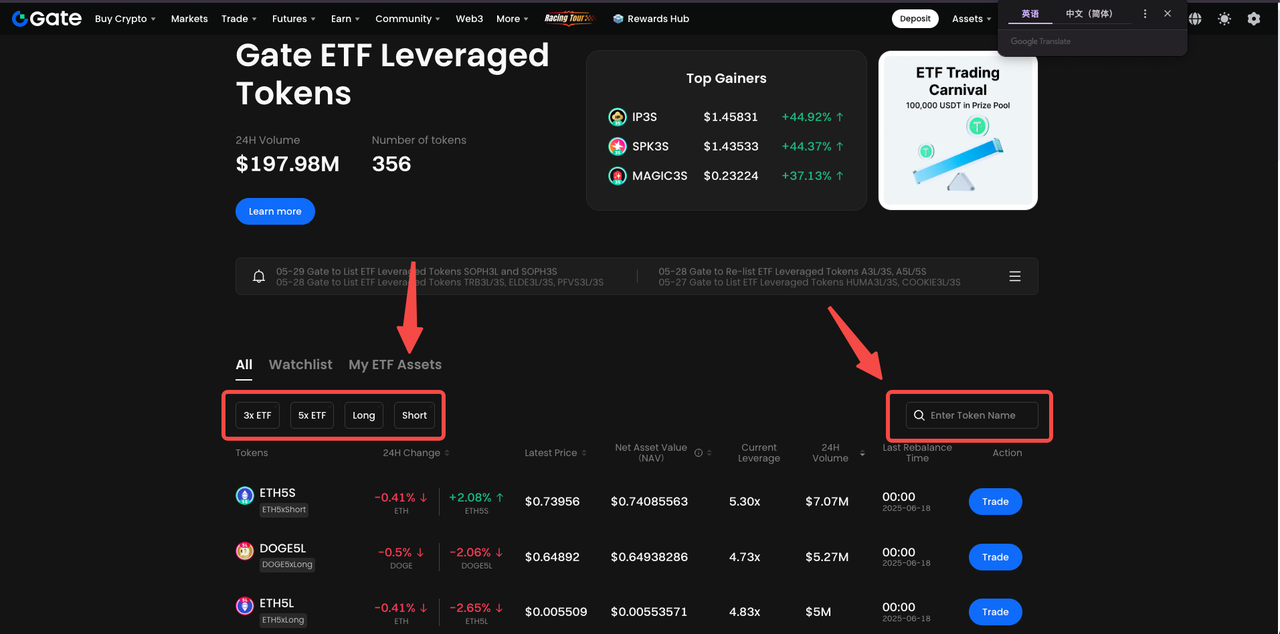
Step 2: Click on the ETF-related filter label or search for the token name in the upper right corner of the currency list, then click the “Trade” button to access the trading page.
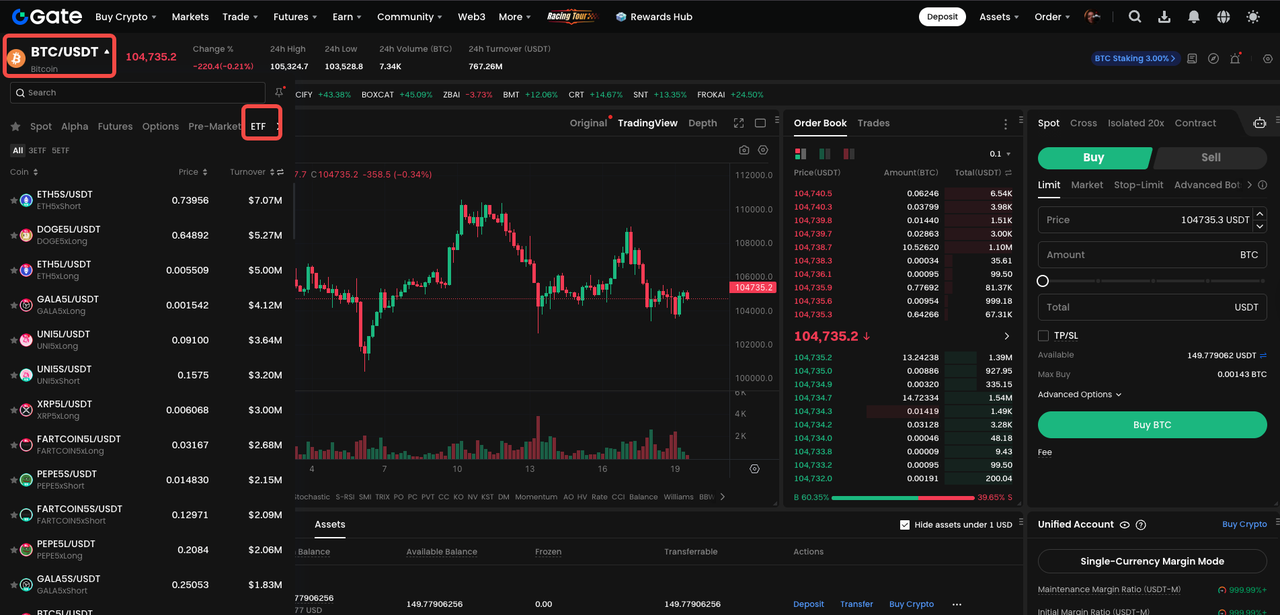
At the same time, in the web trading list, click the spot trading pair, the ETF button to display all related ETF currency pairs. Or search for related currencies in the search box.
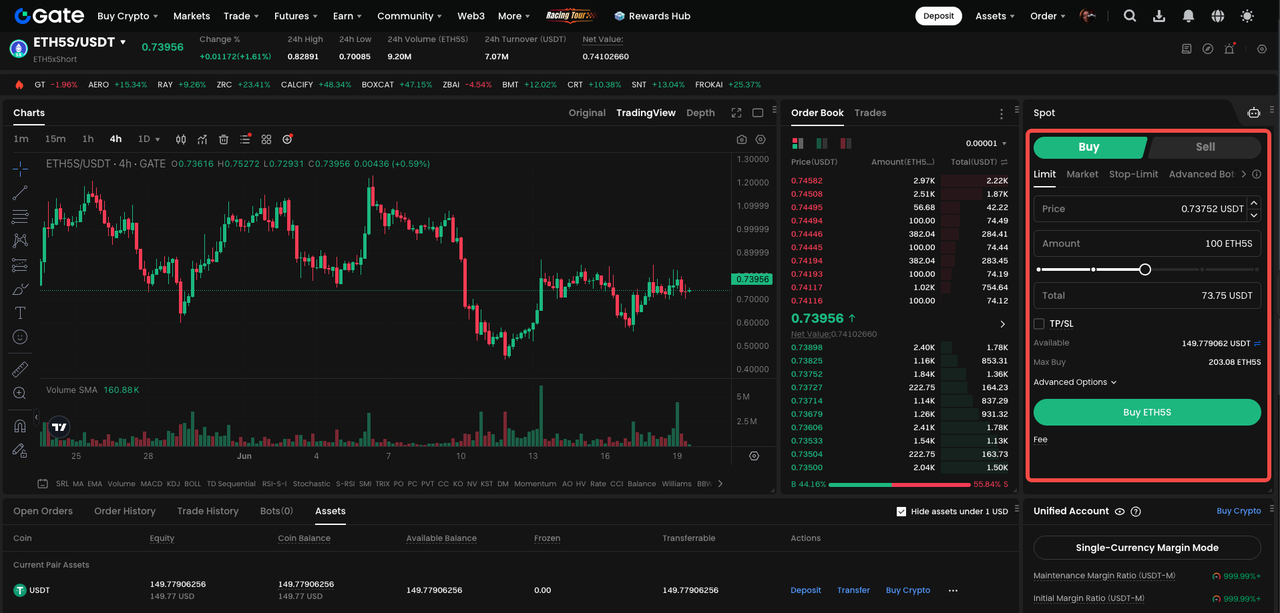
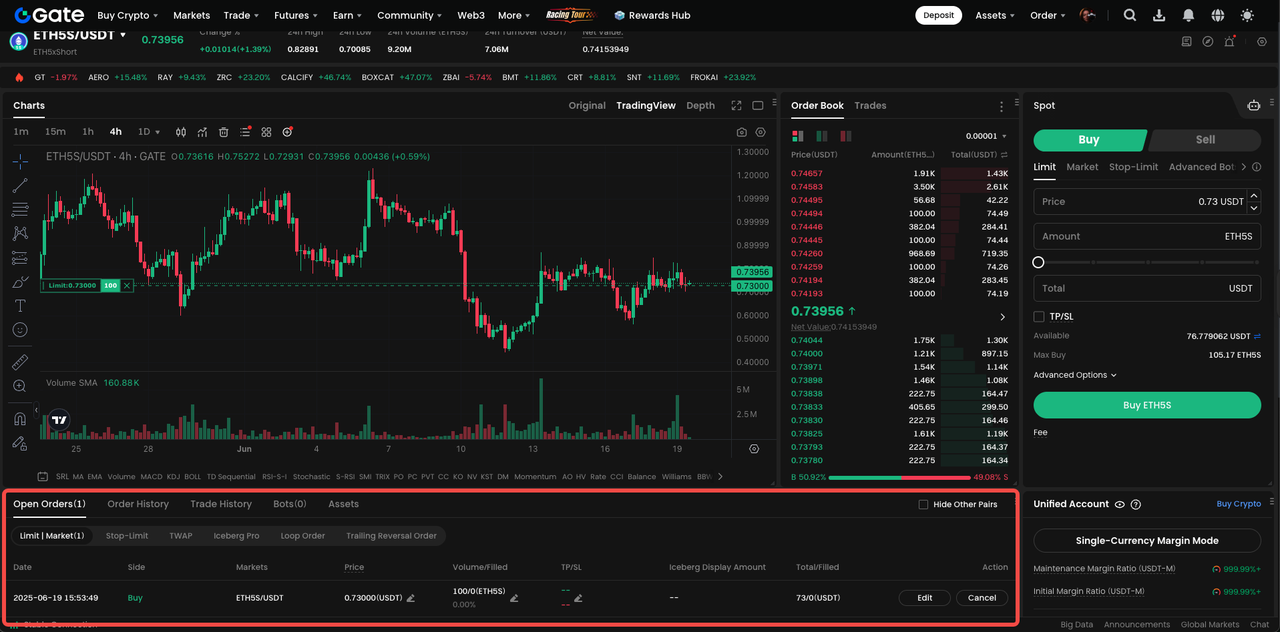
Step 3: On the trading page, enter the unit price and quantity, and click the “Buy” button to trade.
Step 4: For unfulfilled orders, you can query them in the trading panel “Open Orders”.
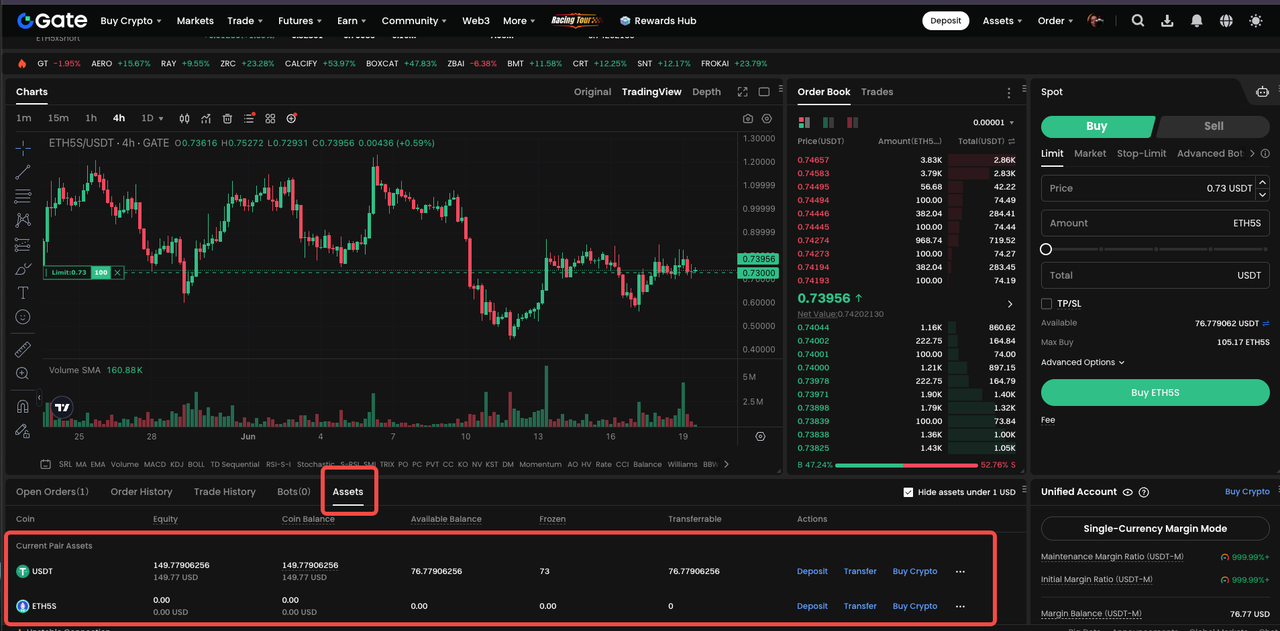
After the order is executed, you can see the holdings of ETF leveraged tokens under “Assets”.
Disclaimer
Legal Notice 1: This content does not constitute investment advice. It does not aim to encourage the buying or selling of digital assets and is for informational purposes only. Crypto assets involve high risk and may be subject to significant price volatility. Before making any investment decision, you should assess your own financial situation and make your decision independently.
Legal Notice 2: The data and charts included in this article are provided for general informational purposes only. Although all content has been prepared with care, no responsibility is accepted for any possible errors or omissions. The Gate TR Academy team may translate this content into different languages. No translated article may be copied, reproduced, or distributed without permission.
Catalog
Lesson 1:ETF Leveraged Tokens Introduction
03 min
5788 Enrolled
Lesson 2:Pros and Cons of ETF Leveraged Tokens
3031 Enrolled
Lesson 3:What market conditions are ETF leveraged Tokens suitable for?
2899 Enrolled
Lesson 4:How Do ETF Leveraged Tokens Differ from Spot, Margin, and Futures Trading?
2874 Enrolled
Lesson 5:How to trade ETF leveraged tokens?
3512 Enrolled
Related Courses
Beginner
Guide to Gate Dual Currency Products
This course provides a comprehensive introduction to Gate Dual Currency Products, which are non-principal protected financial products with floating income and also structured financial products based on options. Compared to traditional principal-protected investment products, Dual Currency Products carry certain risks but also offer higher potential returns. If leveraging the tool effectively, investors can truly earn profits regardless of price action.

Advanced
Tools That Help You Trade Better: Moving Averages, Trend Lines, and Indicators
There are no trading rules that are applicable to any scenario. These courses will help you establish your own trading strategy, then test it and improve on it in practice

Intermediate
Technical Analysis: A Useful Tool to Understand Trends in Futures Trading
Learn to interpret candlestick patterns and identify market trends. Build a technical analysis system to make informed trading decisions.

Intermediate
Introduction to Meme Tokens
Are you interested in learning about the fascinating world of meme coins? Whether you're a newcomer to cryptocurrency or a seasoned investor, meme coins have taken the world by storm and are making headlines across the globe. This course will provide you with an in-depth understanding of meme coins, including their history, token utility, community analysis, and future developments. Get ready to explore the exciting and unpredictable world of meme coins!

Intermediate
Futures Grid Trading User Guide
This course will comprehensively explain Gate's contract grid trading product, combining real-life cases and strategy breakdown, helping users master how to efficiently arbitrage in volatile markets through automated contract grid strategies, adapting to the all-weather crypto market.

Beginner
Gate Futures Trading Guide - A must-read for newbies
Learn about futures from a more practical tutorial than in handbooks.