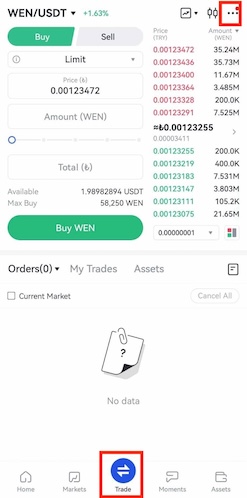
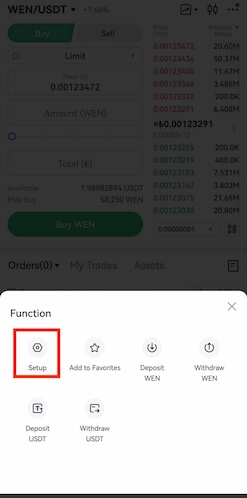
On Gate TR, you can view prices on TRY on both the web and mobile application trading screens.
Changing the Currency to TRY
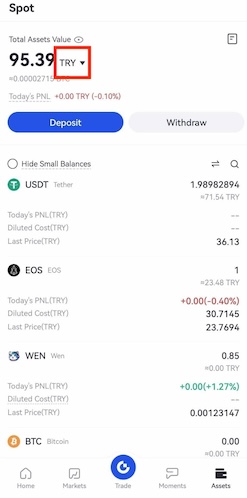
- Tap the “Assets” tab located at the bottom left corner of the app.
- At the top of the screen, next to the “Total Asset Value” indicator, you’ll see the current currency.
- Tap the down arrow icon beside it and select “TRY” from the dropdown menu.
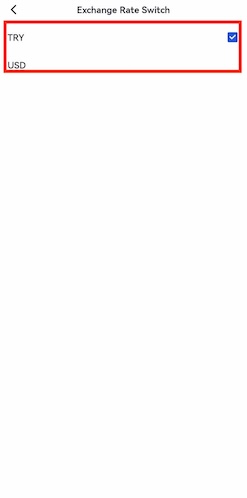
- Tap the profile icon in the top left corner.
- On the profile screen, click the arrow icon on the right side.
- Go to “Preferences” → “Change Currency” and select TRY from the menu.
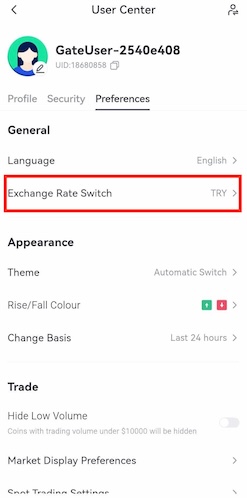
Enabling Fiat Currency Pricing
Click on the “Trade” tab in the bottom menu bar.
Tap the three dots (…) in the top right corner of the Trade screen.